
One Home Base for Learning Canopy Connect: Meet the Resource Hub (NEW)
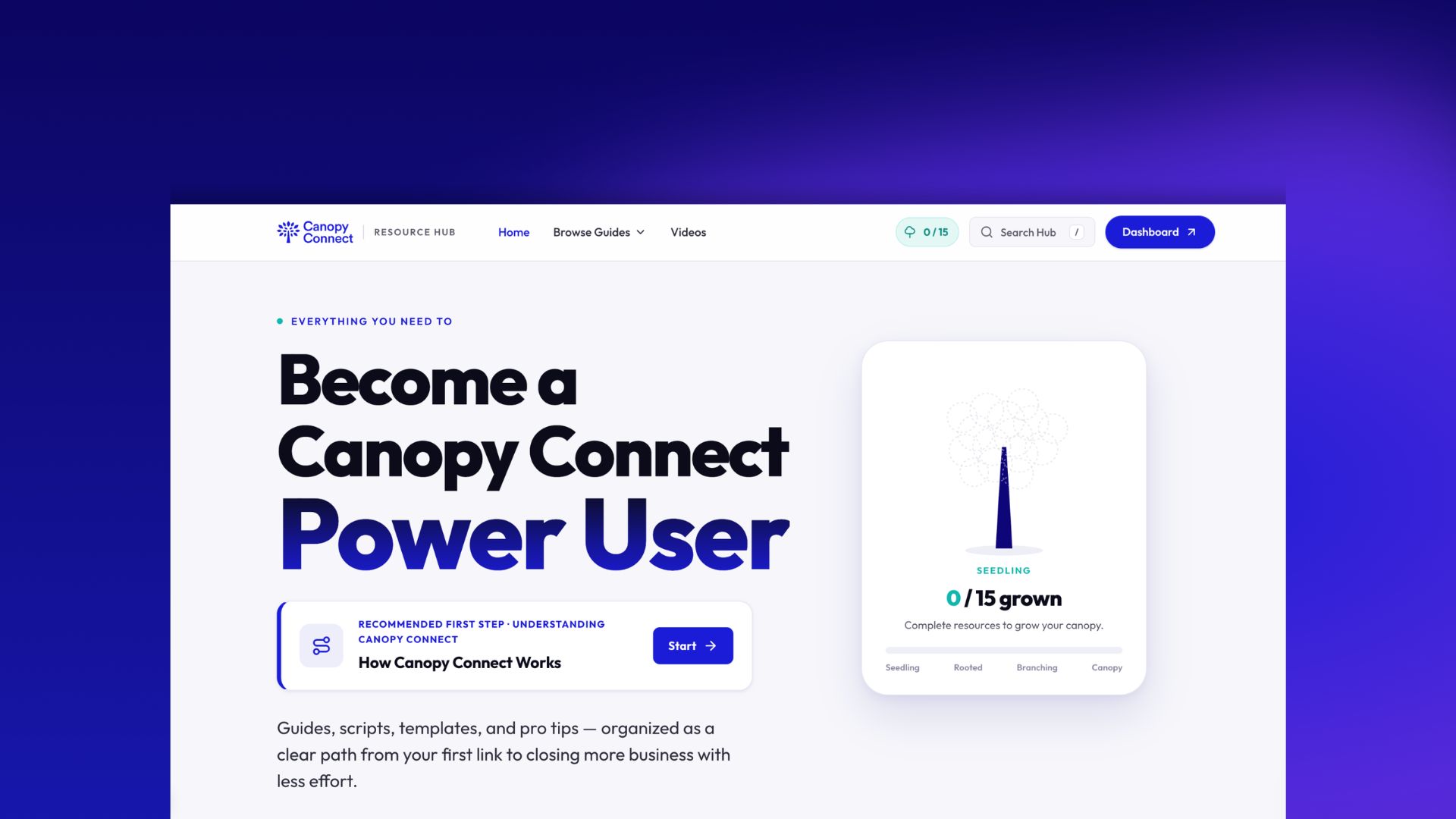

If you've read a post on our blog, watched one of our Lunch and Learns, or dug through a help doc trying to track down one specific setting, you've already used more than one of our resources without necessarily noticing. Canopy Connect keeps growing, and so does the amount we publish about it. That's a good problem to have, but it also means finding the right piece of content at the right moment has gotten harder instead of easier.
That's the gap the Resource Hub is built to close.
How to find it
You don't need to remember the URL or dig for a link. Log into your Canopy Connect dashboard, look at the top right toolbar, and click on Resources. One click drops you straight into the hub, no separate login, no searching around.
Why we built it
We built the hub because agents kept asking versions of the same question: where do I actually go to get better results with Canopy Connect? The help center already covers the product itself, clicks, settings, integrations, and how each feature works. What was missing was the other half: how to actually sell more, quote faster, market yourself, and grow your book using Canopy Connect as the tool that makes it possible. That's a different kind of question, and it needed a different kind of home.
The hub is where that half lives.
What's in it
Inside, you'll find content organized by what you're trying to accomplish rather than by format. Onboarding a new agent. Building a referral pipeline. Moving into commercial lines. Running a smoother intake process. Each section pulls together playbooks, scripts, and step by step guidance. Browse by topic, search for a workflow, or jump in wherever your agency happens to be. New agents tend to start with the Understanding Canopy Connect section to get their bearings. Growing agencies usually head straight for the Playbook and Pro Tips sections.
How to actually use it
Every guide in the hub ends with a small box asking a direct question: questions or feedback on this guide? From there you can ask a question, give feedback, or suggest a topic, and whatever you type goes straight to the Canopy Connect team.
This isn't a suggestion box that disappears into a queue. If a guide is missing a step, tell us and we'll fix it. If you want us to cover something we haven't touched yet, suggest it and it goes on our list for the next round of content. The hub gets better because agents are actually using this box, so if something's unclear or you're stuck on a related question while you're reading, that's exactly the moment to send it in.
Track your growth
As you complete guides in the hub, you'll notice a small tree filling in alongside your progress. It starts as a seedling and moves through rooted, branching, and canopy stages as you work through the full checklist of resources.
Complete all of them and you'll unlock a shareable badge marking you as a Canopy Connect power user. It's built to post, so once you've grown your tree all the way out, share it on LinkedIn or wherever your network hangs out. It's a nice way to show clients and referral partners that you've put in the work to run Canopy Connect at full power.
How it's different from everything else we publish
It's worth being clear about what each channel is actually for, since we're not retiring any of them.
The help center is where you go for the technical side of things. Got a bug, an error message, or a setting that isn't behaving the way you expect? That's a help center problem, and it's built to get you a fast, specific answer.
YouTube is home to our webinars, customer testimonials, podcast episodes, Lunch and Learns, and the occasional bit of fun team content. It's the widest net of the group, covering everything from a feature walkthrough to a conversation with an agent who's scaled their book with Canopy Connect.
The blog is where we publish timely takes: industry trends, workflow deep dives, and whatever's worth writing about that week.
The Resource Hub is where you go to squeeze every last drop of usefulness out of Canopy Connect. If a webinar, testimonial, or blog post can actually help your agency grow, sell more, or quote faster, it gets cross posted into the hub alongside our original playbooks and pro tips. The rule is simple: if it helps your agency grow, it ends up on the hub, so you're never stuck wondering which channel to check for the good stuff
How we'll keep building it
The hub launches with a solid foundation, but it's designed to keep growing. Every new tutorial, trick, or tip we come across that actually helps agents gets added. And a lot of it depends on you: when agents tell us what's missing through the feedback box, that becomes the next piece we add.
If you bookmark one link this year, make it this one. It's going to look different, and bigger, every time you come back.