
INTEGRATION

Automated Insurance Planning, Right Inside Holistiplan

Retrieve verified property & casualty policy data in seconds and power faster, more accurate insurance insights—without chasing down dec pages.
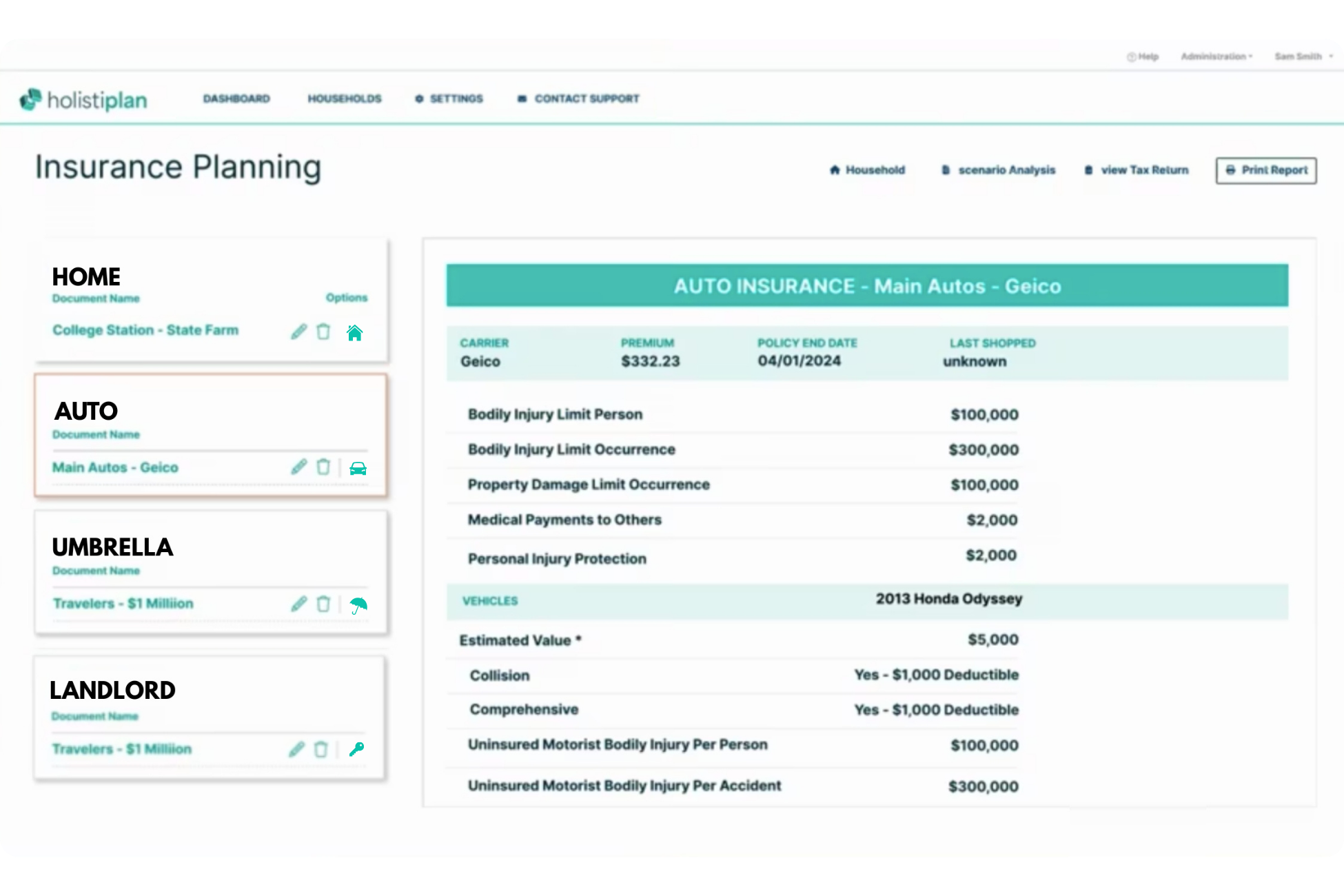
Holistiplan Screenshot
Holistiplan and Canopy Connect

How it Works

Holistiplan helps advisors deliver clearer insurance insights as part of a unified planning workflow. With Canopy Connect, you can move beyond manual data gathering and focus on what matters most: better recommendations, better coverage decisions, and better client outcomes.

Send an intake link to client

Send your client a secure Canopy Connect link and have them connect their insurance in minutes.

Retrieve verified policy data instantly

Canopy Connect pulls standardized policy data directly from the carrier—no manual entry, no back-and-forth.

Analyze within Holistiplan

Verified coverage and policy details flow into Holistiplan, so you can surface gaps, assess limits, and deliver proactive insights during planning conversations.
INSURANCE DATA

250+ Insurance Data Fields

Get access to fully structured P&C personal and commercial insurance data via API.
Go live fast with our SDK.

Auto Policy

Policy #
AUI92837
Policy Start
11/07/2024
Policy End
05/06/2025
Premium
$487.71
Coverage
Limits
Ded.
Premium
Collision
$500
$167.84
Comp
$500
$79.23
BI
$100k - $300k
$104.30
PD
$50k
$116.17
UIM
$15k - $30k
$20.17

Vehicle Information

2018 Chevrolet Camaro (ZL-1)
VIN
1G1FK1R62J0158884
Annual Mileage
10,298
Ownership Type
Finance
Lien Holder
NCM Financial
Vehicle Use
Personal; Commute;

Driver Information

Clark Joseph Kent
License Number
012456987
License State
New York
Date of Birth
07/03/1987
Age
37
Gender
Male
Marital Status
Single
Education Level
Bachelors
Occupation
Reporter

Claims History

Auto Policy: #AU192837
Date
Type
Payout
05/22/2022
Accident
$3,832
03/25/2019
Windshield
N/A
01/02/2018
Theft
$18,291
Homeowner Policy: #HOI13248
Date
Type
Payout
12/18/2021
Wind/Hail
$5,217
09/23/2019
Fire
$12,255
11/29/2017
Water
$8,460

Commercial Auto Policy

Policy #
CA4892274
Policy Start
10/22/2024
Policy End
04/21/2025
Premium
$5,5948
Coverage
Limits
Ded.
Premium
Collision
$500
$1,928
Comp
$500
$964
BI
$500k - $1M
$1,116
PD
$50k
$1,317
UIM
$30k - $60k
$269

Start Your 14-day Free Trial

Join over 20,000 insurance agents already using Canopy Connect.

Holistiplan Insurance Planning, Supercharged by Verified Data

Holistiplan Insurance Planning scans your clients’ home, auto, and umbrella policies to generate personalized, easy-to-read summaries. It highlights coverage gaps, key considerations, and areas where protection is already strong—so you can quickly spot what matters most. Insights are displayed in a clear, color-coded format, with added notes on important industry topics to support better planning conversations.

Faster gap detection

Quickly uncover missing coverages and weak spots across home, auto, landlord, umbrella, and more, so every client review starts with clear priorities.

Confident recommendations

Deliver clearer, more client-friendly guidance with less time spent collecting documents, translating dec pages, or manually re-entering policy information.

Unified planning workflow

Bring insurance insights into the same workflow as tax and planning conversations, so advisors can review coverage naturally.

Caroline advises clients
Team works together
GET STARTED

Set Up and Use the Integration

To set up this integration, you will need to be on an integration-eligible plan (Elevate, Peak, Plus, etc) with Canopy Connect, as well as an active Sembley account. Here's how to set it up:
Integration Setup
  1. In Sembley, navigate to Settings > Integrations
  2. Select Canopy Connect from the available integrations
  3. Click Activate to begin the authorization process.
  4. You will be redirected to Canopy Connect to authenticate and grant permissions
  5. Once authenticated, you'll be returned to Sembley with the integration activated
How to Use the Canopy-Sembley Integration
  1. From the Canopy Connect submissions page, expand the submission you'd like to use.
  2. Review the policy information.
  3. Click the Submit to Sembley button, located under the Integrations heading.
  4. A new window will open to Sembley where you may be prompted to log in.
  5. Select which policies you want to import and which forms you want to use.
  6. From here, you can create a submission as you normally would in Sembley.

Book a Demo

Schedule a demo and consultation with a Canopy Connect expert to see how it can work with your insurance agency.